Brain Test: Tricky Puzzles
- 4.7
- Rating
- 100.00M
- Installs
- Free
- Price

 Analysis by App-foxy
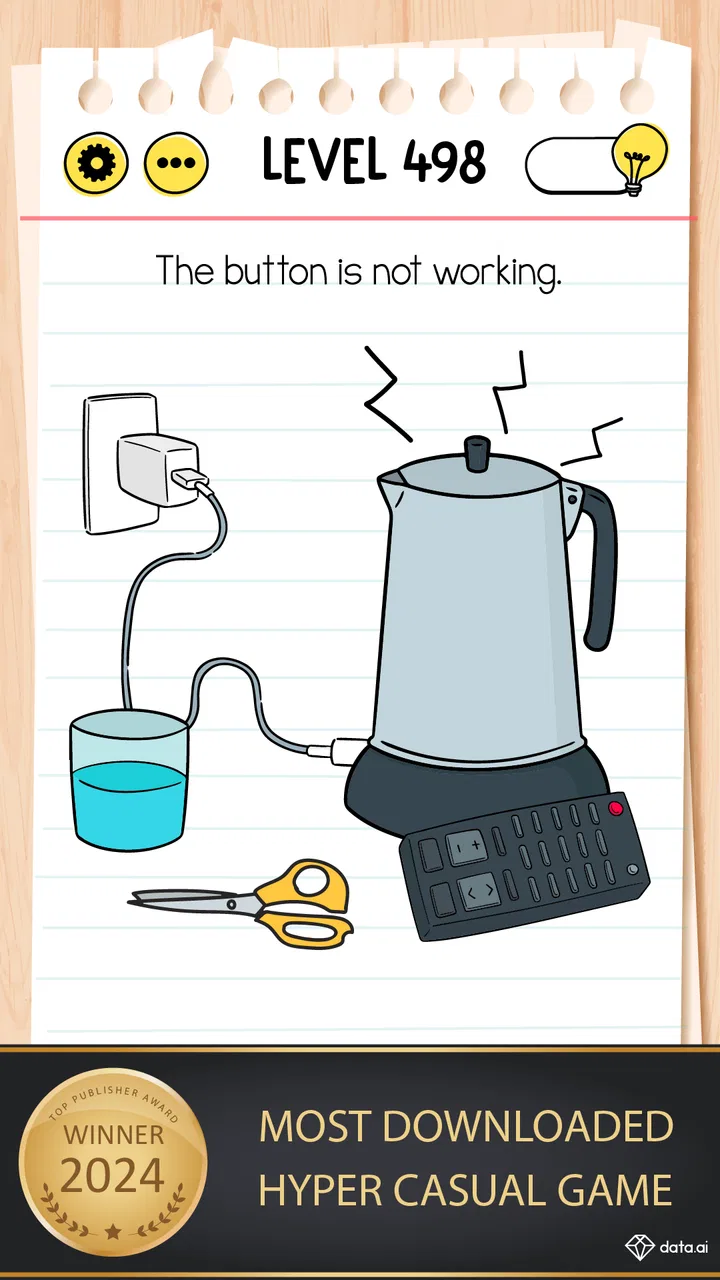
I first reached for Brain Test: Tricky Puzzles when I wanted something light enough to play in short bursts but clever enough to keep me from switching off mentally. It is a free trivia game from Unico Studio, although “trivia” only partly explains the experience. The questions are built around visual tricks, unusual wording, and answers that often require me to stop following my first instinct. It feels less like a conventional quiz and more like a collection of playful logic traps.
That makes it especially interesting on a shared phone or tablet. One person can start a puzzle, another can suggest an answer, and a third can notice the detail everyone else missed. I found that the best moments were not always about solving a level quickly; they came from comparing how different people interpreted the same screen. The game works well as a casual household activity because each puzzle is small, self-contained, and easy to hand over without a long explanation.
The audience is broad. The content rating is Everyone, and the simple presentation makes it approachable for children, parents, and older relatives who may not usually play games. Still, approachable does not mean uniformly easy. Some puzzles are deliberately mischievous, and the challenge often comes from questioning the rules rather than applying standard knowledge. My overall impression is that it is most enjoyable when treated as a shared brain teaser, not as a serious test of intelligence.
In-Depth Coverage of Brain Test: Tricky Puzzles
How the puzzles work in everyday play
I find the best way to approach each puzzle is to slow down before tapping: read the wording twice, inspect the whole screen, and ask what assumption the prompt may be inviting me to make. That gives the group a fair chance to notice a clue together, while keeping the playful surprise intact. The same small design choices also shape the game’s visual world, which is worth looking at next.
A game made for quick shared turns
The strongest household use case is a spare moment when nobody wants to commit to a full board game or a long multiplayer session. I can open the game while waiting for dinner, pass the device across the room, and let someone else attempt the next puzzle. Because the interaction is based on individual challenges rather than a complicated match structure, people can join the conversation without needing their own account or a detailed tutorial.
That format also suits mixed skill levels. A child may notice a visual clue before an adult does, while an adult may recognize that the wording is trying to mislead the player. Nobody needs to be the designated expert. The puzzle itself becomes the focus, and the group can talk through possibilities before someone tries an answer.
I would not describe every level as equally satisfying. The best ones make me feel that I missed an obvious detail, then reward me for looking at the screen differently. Others can feel more like guessing what the designer intended. That distinction matters in a group: a clever trick creates laughter, while an answer that seems arbitrary can produce frustration, particularly for younger players who are still learning to separate a fair clue from a surprise rule.
Why the usual quiz alternatives feel different
Compared with a standard general-knowledge quiz, this game asks less about memorized facts and more about observation, language, and flexible thinking. Someone who knows a lot about history or science does not automatically have an advantage. Conversely, a player who usually avoids quizzes may do well because the solution is hidden in the arrangement of the screen or in the exact phrasing of the prompt.
It also differs from a traditional logic-puzzle app. The tone is lighter and more playful, with the emphasis on being tricked in an entertaining way rather than completing a formal deduction. If I want a structured reasoning exercise with a consistent ruleset, another puzzle game may be a better fit. If I want a quick challenge that can be discussed aloud, this one is more inviting.
Against competitive quiz games, the main trade-off is the lack of a strong social scoreboard experience. The fun comes from solving and reacting together, not necessarily from proving who has the highest knowledge score. That makes it less suitable for a group seeking a serious contest, but better for a family that wants low-pressure entertainment on one device.
Setting expectations before sharing the device
There is an important boundary between the game and the household around it: the app is not a substitute for a family account system or a device-level arrangement. I would decide in advance who is playing, whether the device is being passed around, and whether each person is comfortable with progress being made in the same game environment. A shared session is simple; separate personal progress requires more thought from the people using the device.
I also recommend agreeing on how hints or purchases will be handled before handing the phone to a child. The game is free to download and play, but it includes in-app items priced from $1.99 to $7.99 per item. That does not make it unsuitable for families, but it does mean the device owner should manage the purchasing boundary through the normal controls on the phone or tablet. I would not leave that decision to an enthusiastic player who is trying to get past a stubborn puzzle.
This is one of the less obvious practical points about casual games: the content may be appropriate for everyone while spending decisions still need adult attention. The age rating describes the nature of the game, not who should approve purchases or how a household should share progress. A quick conversation at the start prevents a small puzzle session from becoming a disagreement about the device.
You May Also Like

 Hill Climb Racing
Why Hill Climb Racing Still Turns Crashes Into One More Run
A tiny car, a bumpy hill and one more upgrade: Hill Climb Racing keeps resurfacing because its simple chaos makes every near-miss feel personal.

 AliExpress - Shopping App
AliExpress Makes Global Shopping Feel Personal, but Shoppers Bear the Risk
AliExpress turns a global marketplace into a pocket-sized discovery engine. Its reach is useful, its shopping loop compelling, and its trade-offs easy to miss.

 Lords Mobile: Kingdom Wars
Lords Mobile Is a Kingdom-Building Routine, Not a Quick Match
A case-by-case verdict on the building, battles, device demands, and social commitments that make Lords Mobile rewarding for some players and exhausting for others.

 PDF Scanner app - TapScanner
TapScanner Makes Paperwork Easier to Capture, Check, and Share
TapScanner makes scanning with a phone feel less like a rescue operation and more like a dependable step in getting work done. Its capture tools are useful, though not flawless.

 Block Blast!
 Shows How Much a Puzzle Game Can Leave Out
A quiet grid game shows why puzzle players increasingly value instant clarity, repeatable skill and low-pressure play—and where the genre still needs to catch up.
 Family Space
 Review: A Shared Routine That Makes Family Life Easier
A parenting app earns its place not by adding more noise, but by making everyday coordination easier. Family Space gets that balance mostly right.
More From Our News Desk
View All News


Coordinating turns without making it feel formal
When I play with other people, I get better results by giving each person a chance to explain their idea before anyone taps repeatedly. That turns the game into a short discussion rather than a race to touch the screen. It is particularly useful with children, because the explanation often reveals that they noticed something adults overlooked.
A simple rotation works well: one person reads the prompt, another studies the visual details, and a third decides whether the suggested action is worth trying. After a failed attempt, I prefer to pause rather than immediately search for the answer. The game is more rewarding when the group treats an incorrect guess as evidence about the puzzle’s trick instead of as a reason to rush through it.
For a household with several players, I would keep the session informal rather than trying to turn it into a permanent tournament. The game’s short challenges support spontaneous cooperation better than a strict ranking system. If people want a winner, they can invent their own rule, but that is an extra layer created by the players rather than something I would rely on the app to organize.
What children may enjoy, and where adults should help
The Everyone rating and straightforward controls make the game accessible to younger players, but the difficulty is not always predictable. A child may solve a visually clever puzzle immediately and then struggle with one that depends on wording. That unevenness is normal for this style of game, yet it can be discouraging if a player assumes every failure means they are not clever enough.
I found it helpful to frame the puzzles as experiments. Instead of asking, “Why did you get that wrong?” I would ask, “What else could the question mean?” That small change keeps the focus on curiosity and makes the game a better shared activity. It also avoids turning a casual app into an unwanted lesson or a judgment of someone’s ability.
Adults should be aware that the game’s trick-based design can reward unconventional actions. That is part of the appeal, but it may not satisfy someone who expects every answer to follow a clearly stated rule. With younger players, I would be ready to explain that some levels are testing attention to the interface or wording, not school knowledge. The game can encourage careful reading and observation, but I would avoid presenting it as a genuine measurement of IQ.
Trust, privacy expectations, and household boundaries
Because the game is often used casually, it is easy to overlook the difference between a child playing under supervision and a child using a personal device independently. I would treat it like any other free game with optional purchases: check the device’s existing family and purchase settings, decide who may use the app, and make sure everyone understands whether the session is shared.
I would also avoid assuming that the Everyone rating answers every question a parent might have. It is useful context about the intended age suitability, but it does not replace a parent’s judgment about screen time, sharing a device, or how much help a child should receive. The best household experience comes from making those expectations clear before the game becomes part of a daily routine.
For adults who value a clean separation between personal and family use, this may be less convenient than an app designed around individual profiles. On a common tablet, a shared puzzle session is easy. On a personal phone, passing the device around can expose notifications or interrupt the owner’s normal use. That is not a flaw in the puzzles themselves, but it affects whether the app fits comfortably into a particular household.
Progress, hints, and the cost of impatience
The practical temptation is to use help as soon as a level becomes irritating. I think that weakens the best part of the experience. My preferred workflow is to give each puzzle a quiet attempt, ask another player to interpret it, and only then consider a hint. This preserves the surprise and makes the eventual solution feel earned.
In a shared setting, the decision to use assistance should be coordinated. One person may be happy to move on, while another wants to keep investigating. Agreeing on a limit—such as trying several different interpretations before seeking help—keeps the session friendly. It also prevents the most impatient player from deciding the pace for everyone else.
The optional purchases make this choice more than a gameplay question. Since individual items can cost between $1.99 and $7.99, I would regard hints or other paid help as something to budget deliberately rather than an automatic extension of every session. The free entry point is appealing, but families should understand that “free” does not mean every possible convenience is included without cost.
Performance, access, and who should skip it
The listed minimum operating system is Android 7.0, so it is positioned to work on a wide range of Android devices rather than only recent phones. The current version is 2.762.2, which is useful context for someone deciding whether an older device is likely to be within the supported range. I still recommend keeping expectations realistic on aging hardware: a compatible operating system does not guarantee that every older device feels equally quick or comfortable.
The game is a poor choice for anyone looking for a deep story, a long-form strategy system, or a serious competitive ladder. It is also not ideal for players who dislike answers based on wordplay or unexpected interactions. If you want a quiz that measures factual recall, choose a conventional trivia app. If you want a calm puzzle with transparent rules, choose a more traditional logic format. This game deliberately lives in the space between those two options.
It may also disappoint someone who wants a completely uninterrupted experience with no reason to think about optional spending. The free price is a strong reason to try it, but the purchase range means the owner of a shared device should establish boundaries. For a household that can handle that small amount of coordination, the trade-off is manageable. For one that wants every interaction to be isolated and predictable, another type of game may be easier.
Why its popularity is useful, but not decisive
The game has reached over 100 million installs, with an average rating of 4.7 from around 9.4 million ratings and roughly 117 thousand written reviews. Those figures explain why it is easy to encounter and why it has broad appeal, but they do not guarantee that every puzzle style will suit every player. I would use that popularity as a reason to give it a fair trial, not as proof that it must become a household favorite.
Its developer, Unico Studio, has built the experience around a clear central idea: make the player question the obvious answer. That focus gives the game a recognizable personality. It is not trying to be a complete educational platform or a formal assessment tool. Its value is in creating short moments of surprise, argument, and laughter around a deceptively simple challenge.
My household verdict after using it together
I recommend Brain Test: Tricky Puzzles for households that want an easy game to pass around, especially when players have different ages and different kinds of problem-solving ability. The strongest sessions are cooperative: someone reads carefully, someone spots the visual clue, and everyone gets a chance to suggest an interpretation. It turns a spare five minutes into a small shared activity without demanding a complicated setup.
I would install it with clear boundaries around device sharing and in-app purchases. The Everyone rating makes it approachable, but adults still need to decide how the device is used and whether paid assistance is allowed. I would also explain to younger players that the game tests creativity and attention, not intelligence in any serious or permanent sense.
My final judgment is positive, with one qualification: its charm depends on enjoying the trick. If you like being surprised by a question, examining the screen closely, and laughing when the obvious approach fails, it is an excellent free addition to a shared device. If you want factual trivia, formal logic, private profiles, or a serious competition, I would choose a different category of app. For everyone in between, this is a friendly, flexible puzzle game that earns its place through conversation as much as through solving.
FAQs for Brain Test: Tricky Puzzles
01What is Brain Test: Tricky Puzzles?
Brain Test: Tricky Puzzles is a mobile app available on both Android and iOS platforms. It offers a series of challenging and humorous puzzles designed to test your logical thinking and problem-solving skills. The game features a variety of tricky questions and riddles that require you to think outside the box.
02Is Brain Test: Tricky Puzzles suitable for all ages?
Yes, Brain Test: Tricky Puzzles is designed to be suitable for players of all ages. Its simple interface and engaging puzzles make it accessible for children, while the challenging nature of the puzzles ensures that adults will also find it entertaining and thought-provoking.
03Does Brain Test: Tricky Puzzles require an internet connection?
No, Brain Test: Tricky Puzzles can be played offline. Once you download the app, you can enjoy its puzzles without the need for an internet connection. This makes it a great option for entertainment during travel or in areas with limited connectivity.
04Are there any in-app purchases in Brain Test: Tricky Puzzles?
Yes, Brain Test: Tricky Puzzles offers in-app purchases. While the game is free to download and play, there are optional purchases available for hints and additional content. These purchases can enhance your gameplay experience but are not necessary to enjoy the game.
05How often is new content added to Brain Test: Tricky Puzzles?
The developers of Brain Test: Tricky Puzzles regularly update the app with new puzzles and features. This ensures that players always have fresh content to explore, keeping the game exciting and engaging over time. Keep an eye on app updates to discover new challenges.
Pros
- Engaging puzzles that stimulate your brain.
- Simple interface makes it easy to navigate.
- Regular updates with new challenges.
- No need for an internet connection.
- Suitable for all age groups.
Cons
- Contains frequent ads between levels.
- Some puzzles may seem repetitive.
- In-app purchases can be expensive.
- Hints can be vague at times.
- Limited replay value after completion.

Brain Test: Tricky Puzzles
Gallery